
Public preview — This API is in public preview. Endpoints, schemas, and limits may change before general availability.
API
Getting started
From zero to your first streaming response in five minutes.
This walkthrough takes you from a fresh account to a working response in under five minutes. We will issue an API key, send a single message, and stream the answer.
1. Create an account#
Sign up at chat.eugpt.ai. The free trial gives you enough headroom to develop and test integrations end-to-end. No credit card is required for the trial.
2. Issue an API key#
-
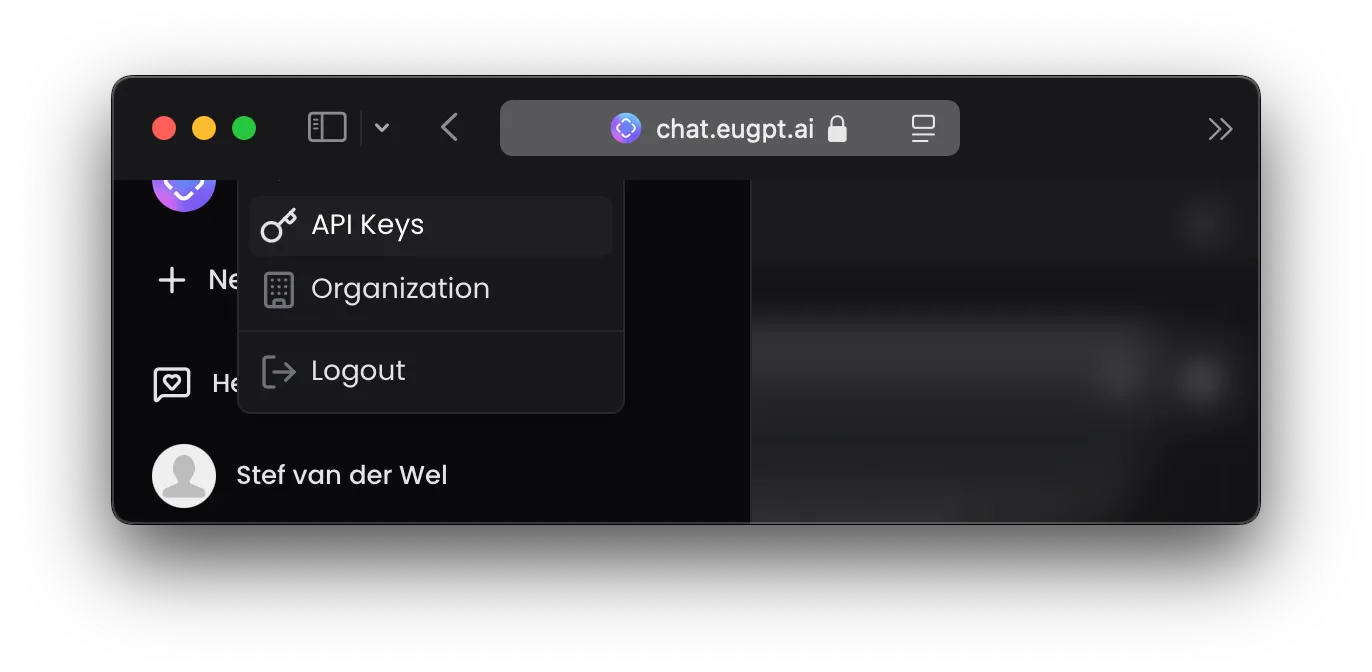
Open the chat UI and click your avatar in the bottom-left.
-
Go to Settings → API Keys.
-
Click Create key, give it a label that tells you where it will run (e.g.
local-dev,staging-job), and copy the value.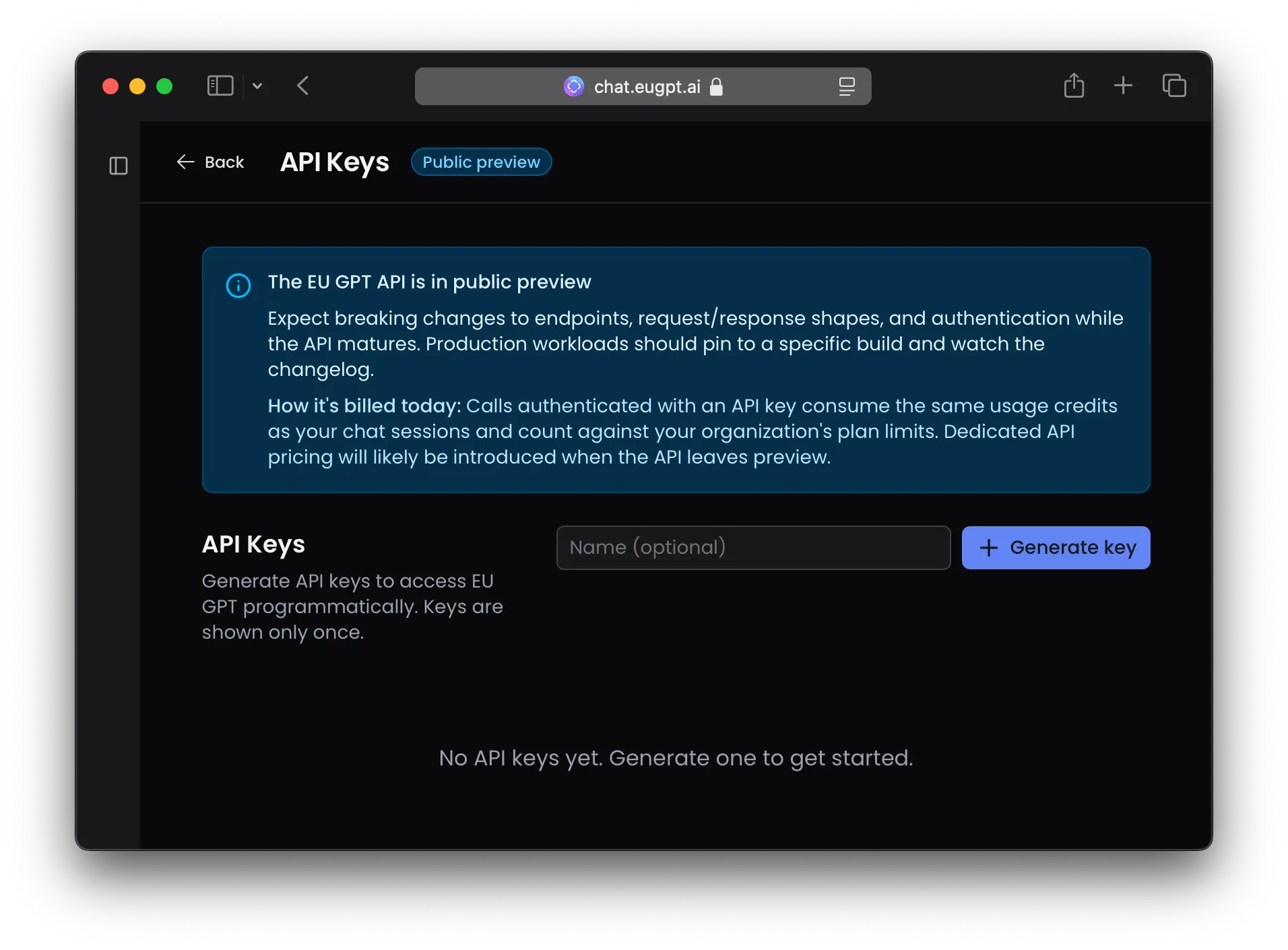
Keys are shown once. Store them in your secrets manager — you cannot retrieve a key after the dialog closes. Revoke and reissue if a key is exposed.
3. Send your first request#
Export the key and call the API. The minimum viable request is one line of input.
export EUGPT_API_KEY="eugpt_..."

curl https://chat.eugpt.ai/v1/responses \
  -H "Authorization: Bearer $EUGPT_API_KEY" \
  -H "Content-Type: application/json" \
  -d '{
    "model": "auto",
    "input": "Write a haiku about sovereignty.",
    "stream": false
  }'
import OpenAI from "openai";
const client = new OpenAI({
apiKey: process.env.EUGPT_API_KEY,
baseURL: "https://chat.eugpt.ai/v1",
});
const response = await client.responses.create({
model: "auto",
input: "Write a haiku about sovereignty.",
stream: false,
});
console.log(response.output_text);from openai import OpenAI
client = OpenAI(
api_key=os.environ["EUGPT_API_KEY"],
base_url="https://chat.eugpt.ai/v1",
)
response = client.responses.create(
model="auto",
input="Write a haiku about sovereignty.",
stream=False,
)
print(response.output_text)A successful response looks like:
{
  "id": "550e8400-e29b-41d4-a716-446655440000",
  "object": "response",
  "created_at": 1716387200000,
  "status": "completed",
  "model": "gpt-oss-120b",
  "output": [ /* ... structured items ... */ ],
  "output_text": "Servers stand in Paris,\nLaws hold every byte at home —\nAnswers, still in light."
}
4. Switch to streaming#
Most real applications stream. Set stream: true (or omit it — true is the default) and read the response as Server-Sent Events.
const stream = await client.responses.create({
  model: "auto",
  input: "Explain GDPR in three sentences.",
  stream: true,
});

for await (const event of stream) {
  if (event.type === "response.output_text.delta") {
    process.stdout.write(event.delta);
  }
}
stream = client.responses.create(
model="auto",
input="Explain GDPR in three sentences.",
stream=True,
)
for event in stream:
if event.type == "response.output_text.delta":
print(event.delta, end="", flush=True)The full set of streaming events — including tool calls, content parts, and completion — is described in Streaming events.
What next#
- Authentication — key lifecycle, rotation, and revocation.
- The Responses API model — how this API differs from chat completions, and what
inputaccepts. - Tool use — how the built-in web search and other tools surface in the response stream.